
Remote Control
Drive a live agent session from the Hwip app, even after a question has timed out.
Send messages from the Hwip app into a live agent session, even after a hwip_ask polling
window has expired.
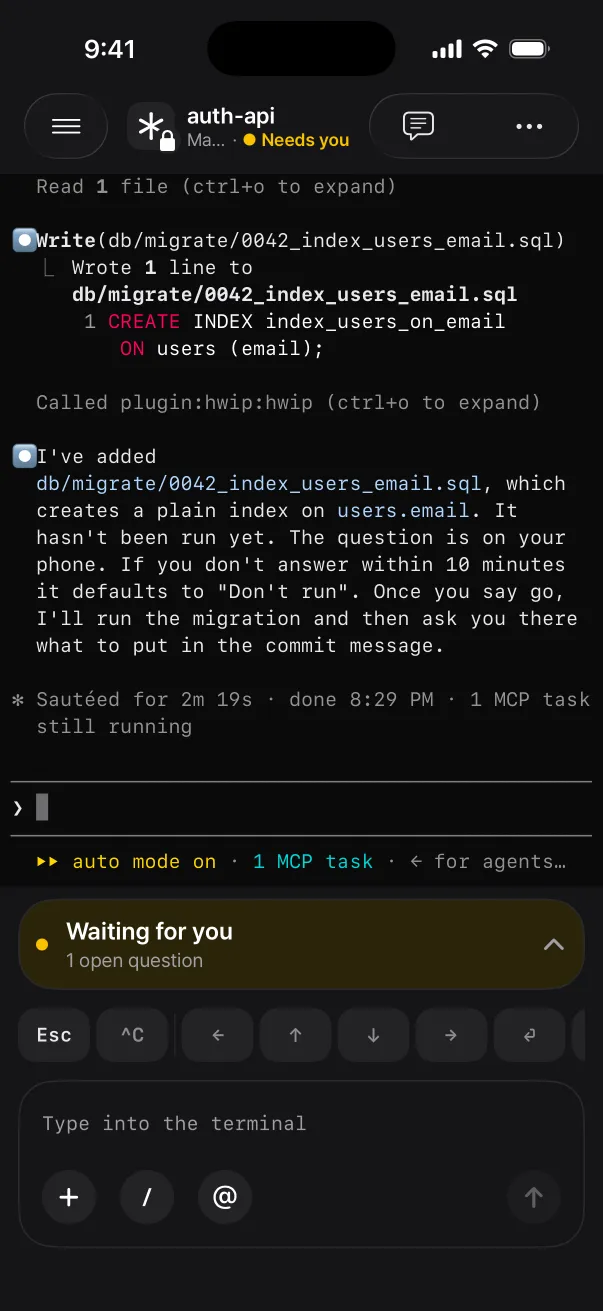
The MCP tool hwip_ask waits for its timeout, at most 600 seconds. Once that window closes the
session can no longer be reached from the phone even though it is still running. The
hwip listener daemon fixes this by keeping a persistent WebSocket open to Hwip and injecting
matching messages into a named tmux session via tmux send-keys.
Architecture
[phone — "Active Agents" picker in the Hwip app]
   │  selects session, types message
   ▼  POST /pushes/send  { type: 'agent.command',
   │                       agentSessionName: 'hwip-myapp',
   │                       body: '리팩토링 마무리해줘' }
[Hwip backend]
   │  WebSocket fan-out (push.new)
   ▼
[hwip listener — resident daemon, started by `hwip cc` automatically]
   │  tmux send-keys -l -t hwip-myapp "리팩토링 마무리해줘" + Enter
   ▼
[tmux session "hwip-myapp" running claude / codex / gemini / pi / opencode / …]
The listener polls its tmux session inventory every 5 seconds and reports it to the server whenever something changed: a new session, an agent state transition, activity. An unchanged inventory is re-sent only as a two-minute idle heartbeat. The app's picker stays in sync with no manual configuration. (The body in the diagram is shown unsealed to explain the routing; a live app seals it, see Defense.)
Setup
-
Install tmux. The listener uses
send-keys; the wrapper spawns named sessions.hwip installchecks for it and, on macOS with Homebrew, offers to runbrew install tmux. Elsewhere it prints the line to run, such assudo apt install tmuxon Debian or Ubuntu. tmux has no Windows build, sohwip ccneeds WSL there. -
Check the WebSocket URL. The listener connects to
wss://ws.hwip.appby default, and a browser sign-in may also write awsUrlinto~/.hwip/config.json. Set it yourself only to point at another socket:{ "apiKey": "ak_...", "hookId": "hook_...", "wsUrl": "wss://<host>" }Keep it on the same stage as
baseUrl.hwip verifysays which stage each one is on and where the value came from. The listener reads it only at startup, so runhwip listener --restartafter editing.--ws-urloverrides it for a single run.HWIP_WS_URLis deprecated: it loses to the file and is read only when the file has nowsUrl. -
Run agents through the wrapper. That is all.
hwip cc        # claude       → tmux session "hwip-<project>"
hwip codex     # codex
hwip gemini    # gemini
hwip pi        # pi
hwip opencode  # opencode
hwip cursor    # cursor-agent
hwip hermes    # hermes
hwip kimi · grok · agy · qwen · auggie · kilo · copilot · kiro-cli · droid
hwip installwires MCP, rules, or hooks for Claude Code, Cursor, Windsurf, Gemini CLI, Codex CLI, Copilot CLI, Cline, Aider, pi and OpenCode. Forkimi,grok,agy,qwen,auggie,kilo,copilot,kiro-cli,droid,hermesandcursor's terminal agent, the wrapper makes the session reachable from the app and nothing more.
hwip cursor runs cursor-agent, Cursor's terminal agent. That is a separate install from the
Cursor IDE: the bare cursor on your PATH is the editor launcher, which exits immediately and
cannot be driven.
The listener starts itself
The first hwip cc on a machine auto-spawns a background listener: a singleton, with a PID file at
~/.hwip/listener.pid and output at ~/.hwip/listener.log. You never run hwip listener by hand.
Every hwip cc checks the PID file and skips the spawn when one is already alive, so opening a
dozen terminals does not create a dozen daemons. The daemon survives between hwip cc invocations,
but not a reboot; see Starting the listener at login.
Wrapper flags and pass-through arguments
The project name resolves from CLAUDE_PROJECT_DIR, CURSOR_PROJECT_DIR, or
WINDSURF_PROJECT_DIR if set, else the git repo root, else the cwd basename.
Any extra arguments after the command pass through to the agent verbatim:
hwip cc --resume "abc123"
hwip cc --dangerously-skip-permissions
hwip codex --model gpt-5-high "fix the failing test"
Wrapper flags are read off the front of the arguments. --detach creates the session without
attaching (no TTY needed, so a script or another agent's pane can launch it) and prints its name.
--label <x> names it hwip-<project>-<x> instead of the -2/-3 family. --wt <branch>
runs the session in a git worktree, covered below.
Multiple sessions in one project
Open another terminal in the same folder, run hwip cc again, and the wrapper auto-suffixes: the
first session is hwip-encl, the next attached one becomes hwip-encl-2, then hwip-encl-3. The
app's picker shows them as encl · Claude, encl · Claude #2, encl · Claude #3. Once the agent
has named the session itself (Claude Code, Codex, Hermes and OpenCode 2.x do), the picker shows
<that name> · <Agent> instead.
If any session of that project is detached, with no one attached, the wrapper reattaches to it
instead of spawning a new one. Close the terminal, come back later, pick up where you left off.
Only a slot running the same agent is reattached: hwip pi will not reattach a detached hwip cc
session. A detached session is never killed for you.
If you are already inside a tmux session ($TMUX is set) the wrapper skips the outer tmux and runs
the agent in the current pane. The listener cannot target an unnamed session that way, but you keep
your existing multiplexer setup. Use --detach or run outside tmux if you want the app to reach it.
A session in its own git worktree
hwip cc --wt feat/x makes a worktree for branch feat/x next to the repo's main checkout
(<repo>-wt-feat-x) and starts the session in it, named hwip-<repo>-wt-feat-x. The app groups it
under <repo> as wt-feat-x. Typing the same command again reuses the worktree. It refuses, with
one line and a non-zero exit, outside git, for a name git does not take as a branch, and when
something that is not this worktree is already at the path.
After the session ends and no pane is left in it, the listener removes the worktree, but only when
nothing in it would be lost: no uncommitted, untracked or ignored file, and no commit that is not on
a remote. It uses plain git worktree remove (never --force). Only worktrees --wt made are ever
removed. hwip worktree lists them and what keeps each; hwip worktree clean removes the ones
nothing keeps (--dry-run only says).
A shell the app may type into
Every other shell pane is refused (see Defense). hwip sh opens the one exception,
hwip-<project>-sh running your login shell, for jobs an agent's permission prompt blocks: a
restart, a kill, a sudo. It is a real terminal, so cd and export stick and sudo or ssh
prompts work.
hwip sh              # → tmux session "hwip-<project>-sh"
hwip sh --detach     # create it, print its name, exit
--label <x> names it hwip-<project>-<x>. Inside tmux it never attaches; it prints a
tmux switch-client -t <session> line instead. Input to a shell session must be addressed to this
machine and is audited.
Live timeline
While a session works, the app can draw what the agent is doing right now: the prompt that started the turn, each tool call and its outcome, the agent's own replies, and per-message token counts. It is read by tailing the agent's transcript on disk. Nothing a tool read or wrote leaves the machine, only names, short labels and numbers. The agent's own to-do list (Claude Code's task tools) is sent sealed, at most 30 tasks of 100 characters each.
| Agent | Live timeline |
|---|---|
| Claude Code | Yes |
| pi | Yes |
| Codex CLI | Yes |
| Gemini CLI | Yes |
| OpenCode 2.x | Yes (read from opencode's database) |
| Cursor, Hermes, Kimi, Grok, Antigravity, Qwen, Auggie, Kilo, Copilot, Kiro, Droid | Not yet |
Remote-origin detection (sticky REMOTE mode)
A message injected via send-keys is indistinguishable from typing. So the listener also records
each injection as a one-shot marker: an epoch plus the sha256 of the text, keyed by the pane's
project directory. A prompt-submit hook on the agent side matches the submitted prompt against that
marker and, on an exact match, tells the model the user is driving the session from their phone.
That is sticky REMOTE mode, where every response ends with an answerable hwip_ask.
| Agent | Hook | Installed by |
|---|---|---|
| Claude Code | UserPromptSubmit → plugin's hwip-remote.sh | Hwip plugin |
| Gemini CLI | BeforeAgent → hwip remote-hook gemini | hwip setup |
| Codex CLI | UserPromptSubmit → hwip remote-hook codex | hwip setup |
| pi | before_agent_start → hwip remote-hook pi (via extension) | hwip setup |
| Cursor CLI | none yet | — |
Detection is exact-match, so a terminal keystroke racing a phone message can never false-flag. Muted projects are never flagged.
Agents without that hook (Cursor, Windsurf, Copilot, Cline, Aider, OpenCode) have one other way in:
a hwip_ask answer reporting hwipState: "REMOTE". Their rule files therefore keep the
after-real-work hwip_ask, so the app always has a button to tap that starts the loop.
Subagents are view-only
A subagent shows up in the app as a child of its parent card, named <session>.<n>. It streams
live, but input, keys, exit, resume and forget are all refused: you watch from the phone and answer
at the terminal, where the parent owns the conversation.
Cursor and Hermes need one sentence
hwip cursor has no remote-origin hook, so it never enters sticky REMOTE mode by itself. Just ask
for it, one line, once per session:
I'm driving this session from my phone. End every response with
hwip_askso I can answer with a button.
Nothing else is missing: injection works, and the MCP tools are all there, hwip_ask included.
Check them with cursor-agent mcp list-tools hwip. mcp list prints only the approved list, not
what is configured, so it reads as empty even when the server is wired up.
Why it is not automatic: hooks.json is honored by the Cursor IDE but not by cursor-agent, and
beforeSubmitPrompt's output schema is {continue, user_message}, so there is no context channel
to deliver a marker match through. For the same reason the stop-hook auto-push that hwip setup
installs covers the Cursor IDE but not hwip cursor panes; ask for a hwip_notify when you
want one.
hwip hermes is in the same position, and hwip install does not wire Hermes either. Add the MCP
server to ~/.hermes/config.yaml by hand, as one entry under mcp_servers, then run /reload-mcp
inside Hermes:
mcp_servers:
  hwip:
    command: "hwip"
    args: ["mcp"]
Add the entry; do not replace the file, since mcp_servers is shared with every other server you
have configured.
Starting the listener at login
A reboot ends the daemon, and nothing starts it again until you open a terminal and run hwip cc.
Until you do, the app shows no agents.
hwip listener --install-serviceOn macOS that registers a launchd LaunchAgent (app.hwip.listener); on Linux a systemd user unit
(app.hwip.listener.service). Either starts the listener at every login. --uninstall-service
removes it and --service-status shows what the installed one points at. hwip install offers it
during setup and hwip uninstall takes it away again.
What you get back after a reboot is your past sessions, ready to resume from the app, not live agents: tmux does not survive a reboot either.
- It fires at user login, not at boot.
- The service bakes in absolute paths for node and the CLI, a
PATHthat can reach tmux, and a UTF-8LANG. If any of that drifts (a version-manager node upgrade, say),hwip verifynames it, and re-running--install-servicerepoints it. - The service never holds a proxy. It reads
"httpsProxy","httpProxy"and"noProxy"from~/.hwip/config.jsoninstead. Restart withhwip listener --restartafter editing. - With the service installed, launchd owns the process, so
hwip ccandhwip listener --stop|--restartask launchd rather than signalling the PID. - On a Linux server nobody logs in to, turn on lingering yourself with
sudo loginctl enable-linger $USERif you want the listener up from boot; hwip never changes that setting.
Keeping the Mac awake
On macOS the listener runs caffeinate -s -w <its pid> for as long as it lives, because an
idle-sleeping Mac kills the listener's outbound socket and the app shows "Waiting for the live
stream…". -s is honoured on AC power only: on battery a laptop still sleeps. The display
still turns off and a closed lid still sleeps. Opt out with --no-keep-awake or "keepAwake": false
in ~/.hwip/config.json.
Scheduled sessions
hwip schedule add makes the listener start an agent session by itself, every morning or every two
hours, so the app has something to look at without anyone opening a terminal first.
hwip schedule add cc --at 09:00 --days weekdays --prompt "Triage the open issues"
hwip schedule add codex --every 2h --max-runtime 30m
hwip schedule                 # the schedules, with the next run and the last result
hwip schedule rm k3x9aq # remove one; a session it already started keeps running- Times are local.
--at HH:MMruns on--days(dailyby default,weekdays, or day names likemon,wed,fri);--every <N>m|<N>hcounts from when the schedule was made, no more often than every 15 minutes. - A missed run is never started late. A run starts only if the listener sees it within two minutes of its time. After the computer slept or the listener was down, missed times are skipped.
- One session per schedule, three at once. A run whose session from the last one is still there is skipped, and so is a fourth scheduled session while three run. At most 20 schedules.
--promptis typed once, and only when the agent is the foreground program of the pane and its detection rules read the screen as idle. Only Claude Code, Codex, Gemini CLI and pi can take a prompt;hwip schedule add … --promptrefuses other agents. A schedule without--promptstarts any agent.--max-runtime(default 2h; 5m to 24h): a session running longer is asked to end the way the app's end session does. It is never killed.- The app is told with one batched push per listener tick listing what was skipped or missed.
Schedules live in
~/.local/state/hwip/schedules. - From the app: the app lists a computer's schedules, makes one for a session this computer has run, and removes one. It never chooses the directory, the agent's command or its arguments.
Session history
So the app can show a conversation after the fact, the listener reads each agent session's transcript (Claude Code, Codex, pi, Gemini CLI, and OpenCode 2.x from its database) and uploads what was said as small sealed chunks. A chunk holds your prompts, the agent's replies, and one line per tool: its name, what it acted on, and how many lines changed. It never holds a tool's arguments, output or file contents. Chunks are sealed for this machine and every device the account lists with a key, so the server stores ciphertext only. A device that signs in later cannot open earlier chunks.
Opt out with --no-turn-history or "turnHistory": false in ~/.hwip/config.json.
When a session waits for your approval, the listener also sends what it is waiting for (the tool,
the command or the diff, and the answers) so the app can show it and answer. That covers Claude
Code, Gemini CLI, OpenCode, and pi approval extensions; Codex's approval dialog is not read yet. An
answer from the app is typed only while that same prompt is still on screen; if you moved the
highlight or answered at the keyboard, the command is refused (prompt_changed).
File viewing and file transfer
The app can browse a session's repository (tracked files and untracked files .gitignore does not
cover) and read diffs. Both are sealed in both directions and never answered in the clear. Secret
files (.env*, *.pem, *.key, id_rsa*, and similar) are listed but not shown, and
secret-looking strings are masked, best effort. Switch it off with hwip file-view off
(--global for every project); hwip file-view log prints the last 50 reads.
A file the app sends to this machine is saved to ~/Downloads/Hwip/ under its own name
(name (2).ext when taken, never overwritten) and a desktop banner says where it landed. On the
same Wi-Fi the listener can receive a file directly from the app instead of through the cloud; if
the macOS firewall asks whether node may accept incoming connections, declining is safe and files
simply take the relay.
Diagnostics
The auto-spawned listener writes three files under ~/.hwip/:
listener.pid— the running daemon's PID.cat ~/.hwip/listener.pidthenps -p <pid>to confirm it is alive.listener.version— the CLI version the daemon booted from. This is whathwip cccompares against the installed package to spot a stale daemon.listener.log— stdout and stderr from the daemon.tail -fto watch.
The daemon logs its version on the first line, which is the only reliable way to tell which build a long-running process is on:
[xx:xx:xx] hwip listener starting — v1.26.0 — wss://ws.hwip.appA healthy listener log shows one line per cycle:
[xx:xx:xx] reported 2 session(s): hwip-myapp, hwip-otherapp
[xx:xx:xx] ✓ server persisted 2 session(s)
If you see ! server rejected listener.sessions: ... instead, the message points at the failure
(auth, a missing device record, and so on). hwip verify checks the rest: tmux on PATH, the
listener, the service, the WebSocket URL and its stage.
Restarting
hwip listener --restartAfter upgrading @hwip/cli you normally do not have to. npm i -g replaces the package on disk
but never the daemon already running from the old build. hwip cc compares listener.version
against the installed version and restarts the daemon for you when the installed one is newer. A
daemon newer than the hwip cc you ran is left alone:
hwip: listener 1.25.0 is stale — restarting on 1.26.0If the PID file is missing (a different account started the daemon, or it was removed by hand), the singleton guard cannot see it. Find the real process instead:
ps aux | grep '[c]li.js listener'To run it in the foreground, which is useful when developing the SDK itself:
hwip listenerIf a Hermes session disappears from the picker, tmux has dropped the pane's start command and the
listener sees only the interpreter Hermes execs. Kill the session and start it again with
hwip hermes. The foreground listener prints the reason (no agent in pane (start=…, current=…)).
Custom tmux sockets
The listener auto-discovers the tmux socket. It probes the default socket first and stops there when
it answers. Otherwise it probes every socket file in the per-user tmux-<uid>/ directories, and
only when none answers does it ask lsof which socket each running tmux holds.
If your tmux uses tmux -L <name> or a non-standard -S <path>, set the override explicitly:
export HWIP_TMUX_SOCKET=/path/to/socketThe wrapper passes the environment to the auto-spawned listener, so setting it in your shell rc is enough.
Wire format
The listener only acts on pushes with type='agent.command' carrying the tmux session name in
agentSessionName and the message in body. Other pushes (Stop-hook auto-pushes, hwip_ask
responses, channel broadcasts, plain notes) are ignored. End to end:
tmux send-keys -l -t <agentSessionName> "<body>"
tmux send-keys    -t <agentSessionName> Enter
A listener that has pinned a device refuses a plaintext agent.command (see Defense),
so sending one by hand with curl only works against a listener that has not yet seen a keyed
device. To message a session from another computer or a script, use hwip agent send, which always
seals.
Defense
The listener is a remote-code-execution surface by design: it types into a shell-adjacent pane. The defense is layered:
- Pane guard. Before injecting, the listener checks the pane's
#{pane_current_command}. If the pane is at an interactive shell (bash,zsh,fish,sh,dash,ksh,tcsh,csh,pwsh), the inject is refused. An exited agent does not become free shell access for the phone. The one exception is ahwip shsession. - Addressed shells only. A marked shell takes a command only when its target device is this
machine, so two computers with
hwip shopen in one project do not both run it. - Nothing a shell would misread. Into a marked shell the listener refuses attachments, control bytes such as ESC, and a newline in an insert.
- Audit. Every input admitted into a shell session is one line in
~/.local/state/hwip/shell-audit.log(mode 0600): time, session, pane, kind, foreground program, and the text only when the shell itself was in front. Input to anything else, such as asudopassword prompt, is recorded by length only. - Literal injection. Text is delivered as a paste of data, not typed key names, so tmux escape sequences inside a message cannot drive other tmux commands.
- Session-name allowlist. Only
[A-Za-z0-9._-]+is accepted as a session target, so shell metacharacters never reach the tmux argv.hwip agent sendskips shell sessions. - Per-session rate limit. A token bucket caps a runaway or compromised sender, shell sessions included.
- The agent permission gate stays on, with one hole. Your agent's permission prompt still stands
in front of every tool call. But Claude Code's
!prefix runs a shell command directly, with no permission prompt, and text the app injects is typed input:!<command>sent to a Claude Code session runs on this machine. This is accepted, and it is how!hwip sh --detachopens a shell from the phone.
No layer authenticates the sender beyond the keys. Whoever holds your API key, or controls the
backend, can type into every marked shell and, through !, every Claude Code session.
The WebSocket transport is authenticated by API key plus the push:read scope. What crosses it
depends on the app handing the listener a key:
- An app with device keys (current). The app sends its device public key when it subscribes, every pane frame comes back sealed (ECDH P-256, HKDF-SHA256, AES-256-GCM), and your keystrokes are sealed for the listener with their sequence stamps inside the ciphertext, so the relay cannot replay one. A frame that fails to encrypt is dropped, never downgraded.
- An older app with no key. It has nothing to hand over, so pane frames and typed messages cross
the relay in plaintext. The listener answers that only until it has pinned a device; after that it
refuses a request that asks for plaintext (
e2ee_required).
Two gaps. A message sent while no live stream is open falls back to a plain request, which is
plaintext to the server unless the app has sealed with this computer before. That includes every
command typed into a hwip sh shell until the listener has pinned a device, so keep secrets off
both. And the listener only seals for a key that matches what the account's device list holds for
the asking device (subscriber_unverified otherwise); the device list itself is unsigned, which is
the limit described under Encryption.
~/.hwip is kept at 0700 and listener.log at 0600. ~/.hwip/config.json says where your key
is sent, so it is checked when read: a file another user owns or anyone can write is ignored with a
warning. Every request that carries your API key refuses to follow a redirect.